
Your HR, in everyone’s pocket
Check in, see your shifts, download a payslip, ask HR for help. Managers approve requests and see who is in; HR posts news. The same company, the same sign-in as the web, on your phone.
The app is for Android phones. Ask for the install link when you book a demo.
The everyday things, in a few taps
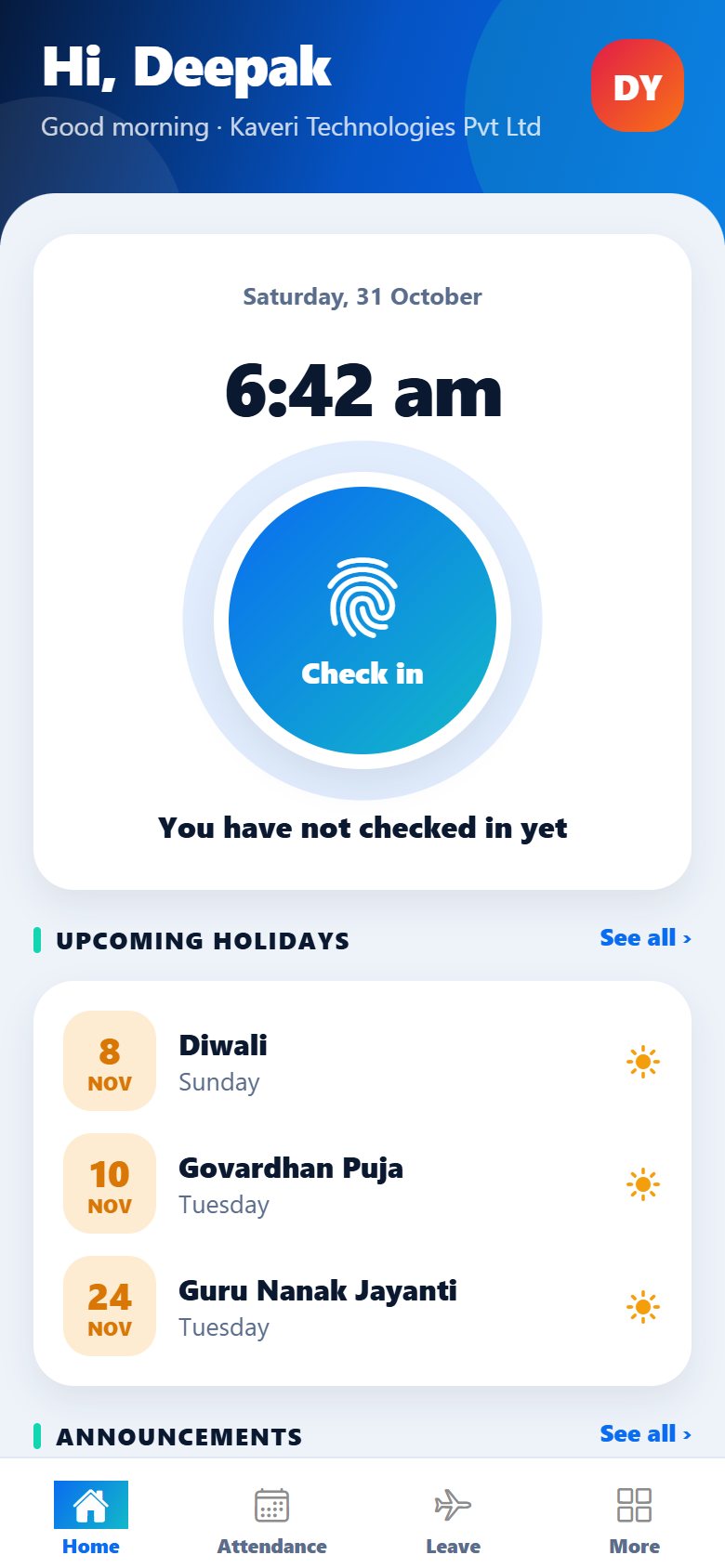
Check in, even when there is no signal
One big button for checking in and out. The place is recorded when the phone allows it, and the day shows how long you have worked so far.
- With no signal the check-in is kept on the phone with the time you pressed, and sent as soon as the phone is online again
- Those check-ins are marked “recorded offline” and noted in the audit log, so HR can always tell them apart
- Only a time from the last 24 hours, and never one in the future, is accepted
- The app locks with your fingerprint, face or phone PIN when the phone has one
Attendance, leave and requests in one place
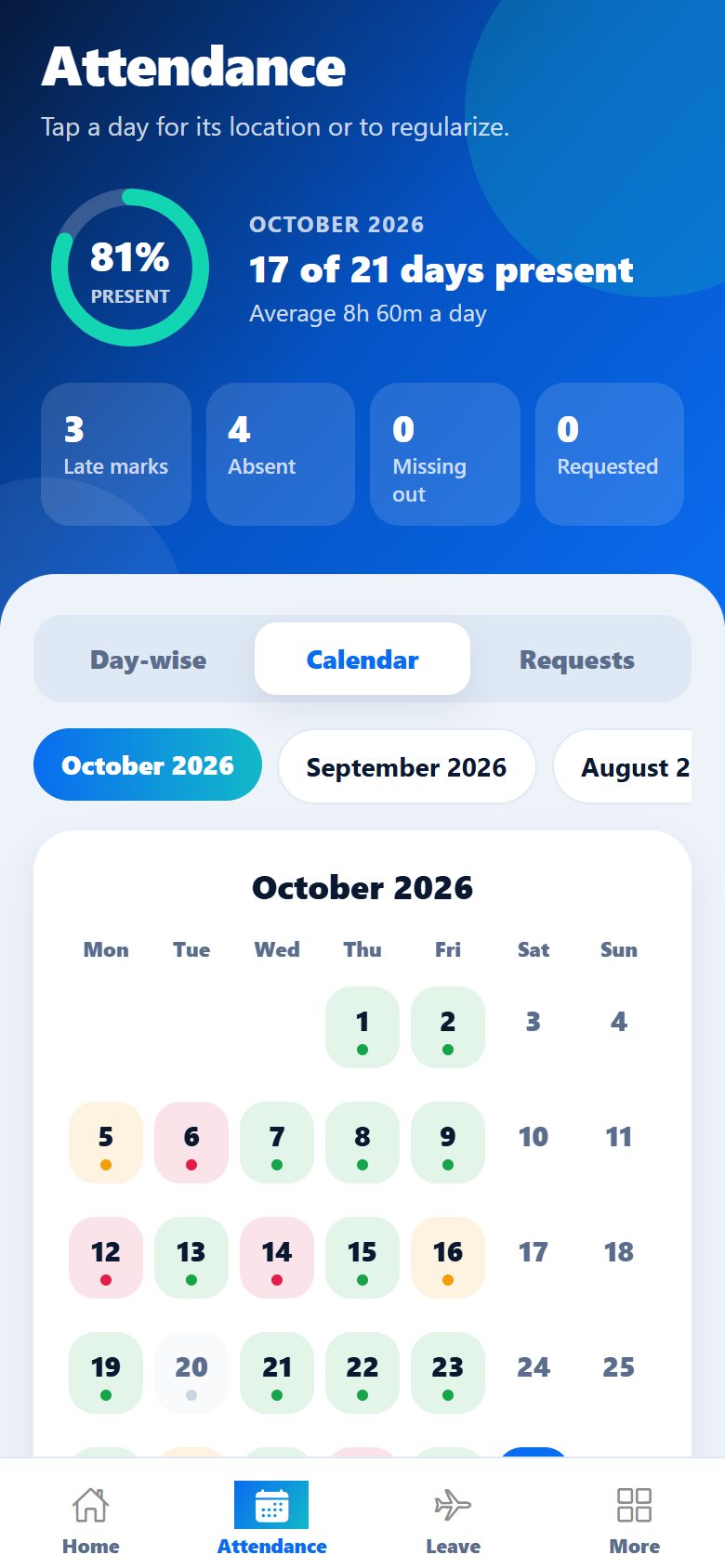
See the month as a list or a calendar, with every day coloured by what it counted as. A day that falls short can be regularized from the phone, and the manager’s answer comes back on the same day.
- Day-wise, calendar and a list of your regularization requests
- Leave, including the first or second half of a day, and work from home requests
- The location of each check-in and how far it was from the office
- A directory to find and call a colleague
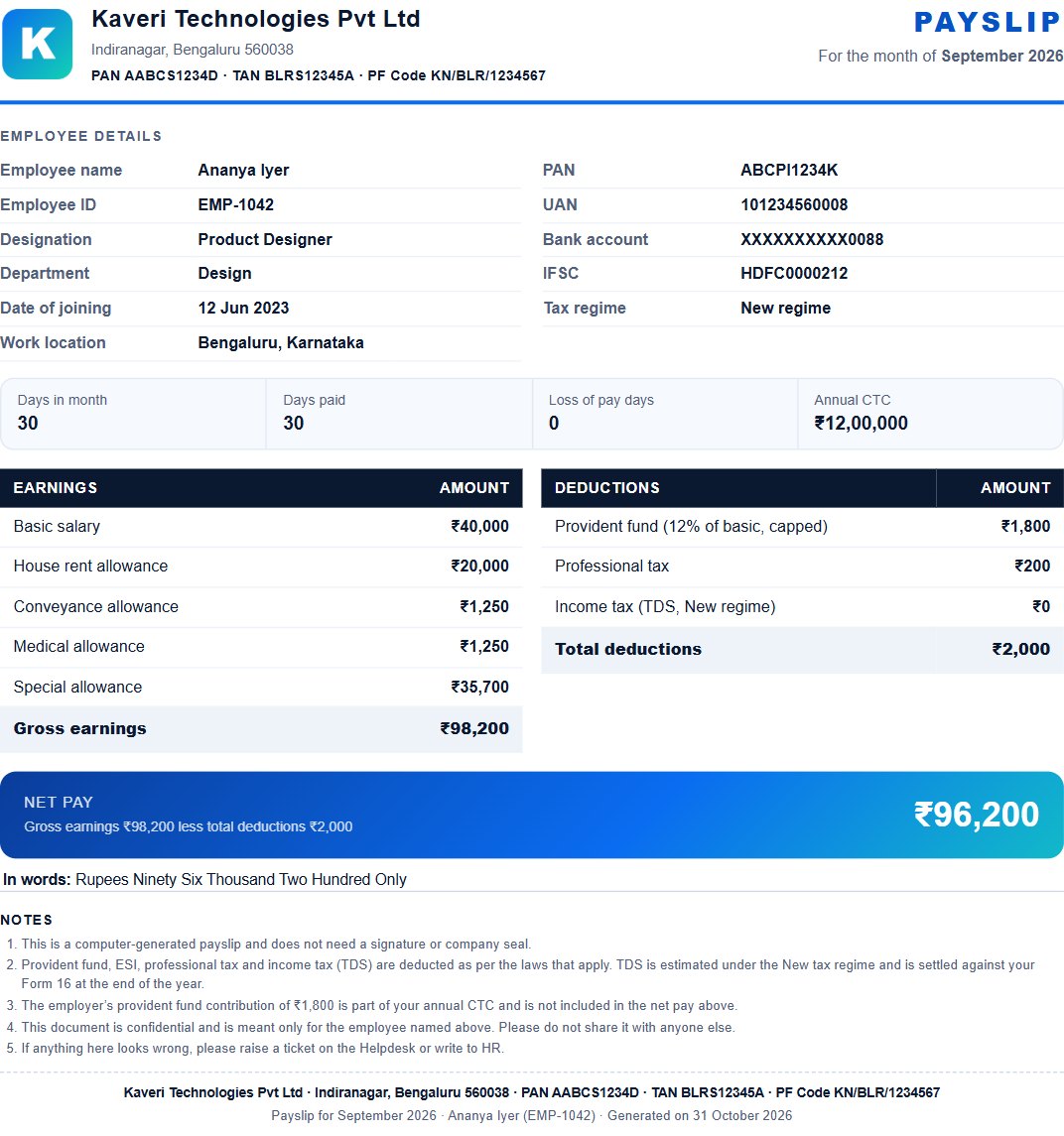
Payslips you can keep, as a proper PDF
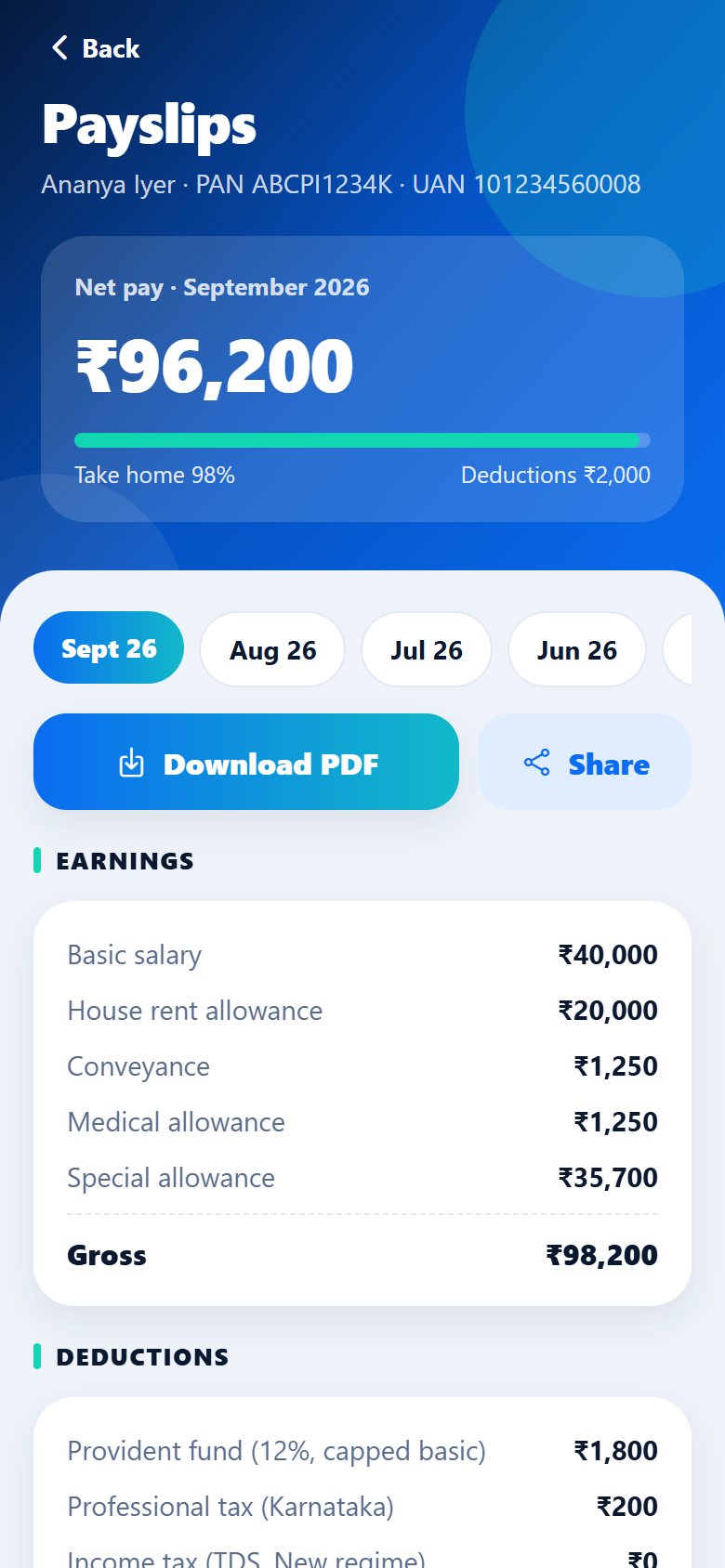
The last twelve months are on the phone. Save a payslip to your Downloads folder, or share it by WhatsApp, email or Drive. Each one is a one-page PDF with your company’s letterhead, your details, the earnings and deductions, and the net pay in words.
- Company logo, address, PAN, TAN and PF code at the top
- Your designation, department, joining date, PAN, UAN and bank account (only the last four digits)
- Notes at the bottom and the company’s details again, the same on the web and in the app
News from HR, and help when you need it
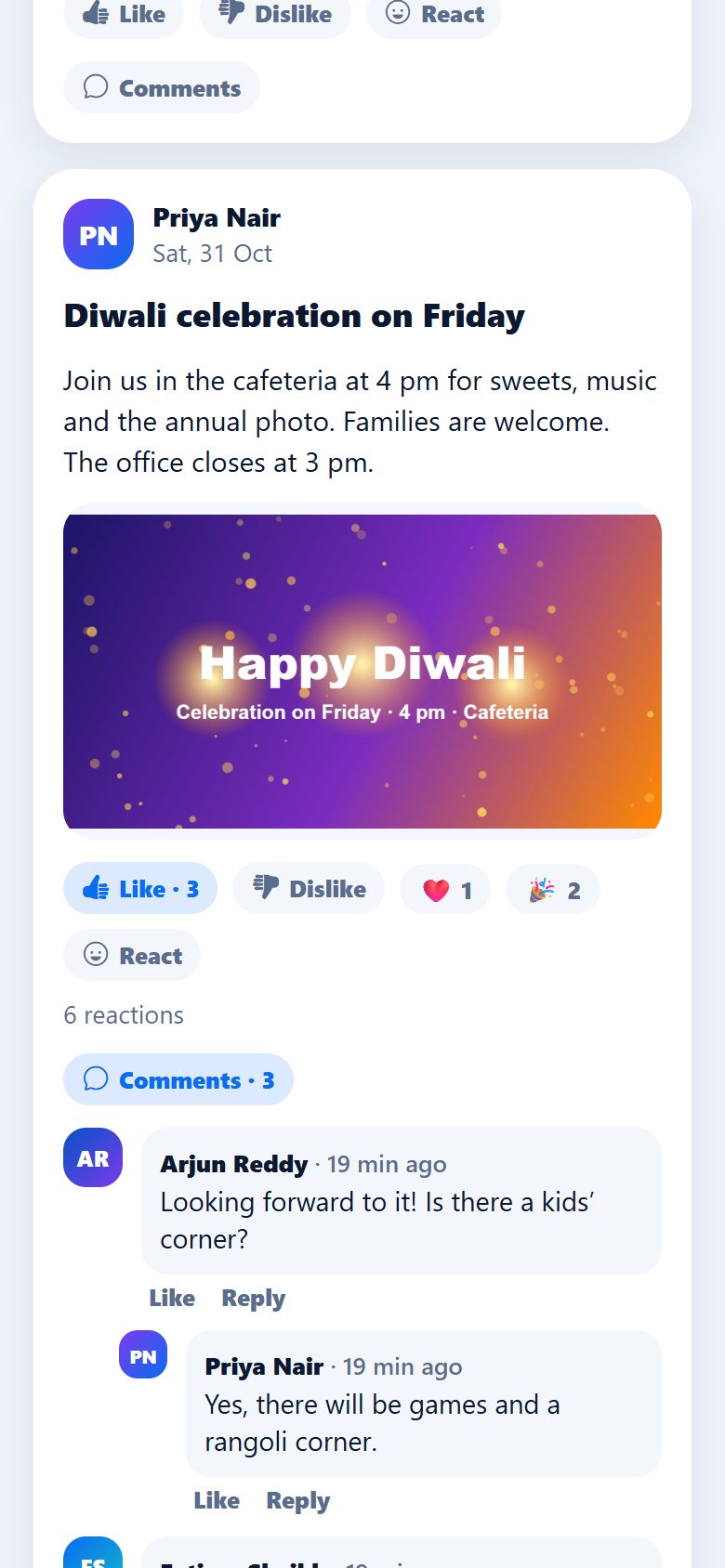
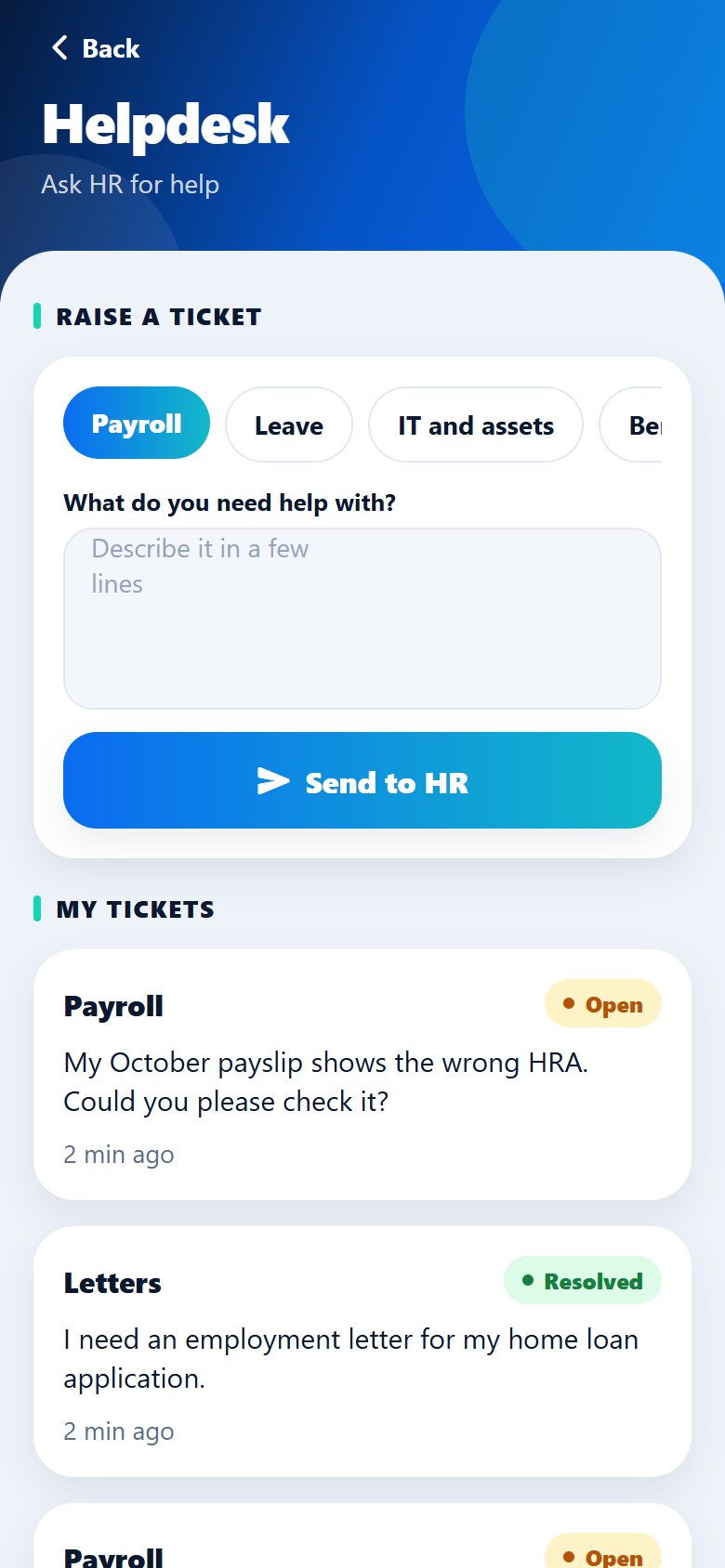
Announcements arrive with their photo or video. Anyone can react, comment and reply, unless HR has switched comments off for that post. Need something? Raise a helpdesk ticket and follow the answer.
- Photos and videos in announcements, with likes, reactions, comments and replies
- Helpdesk tickets by category, marked Open or Resolved
- Your profile: photo, work mobile number and password
See your team and decide, from wherever you are
Who is in, late, away or not in yet
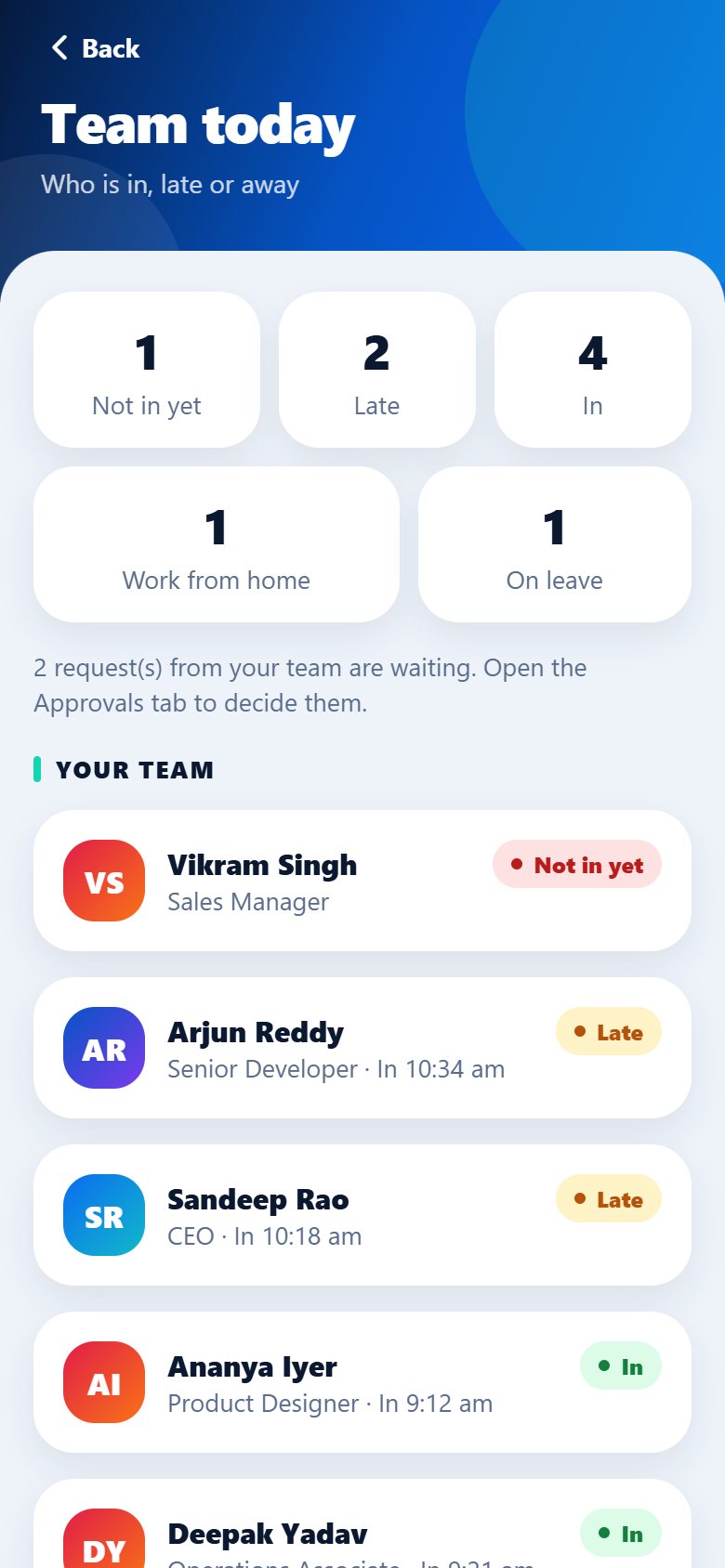
Managers see their own team and HR sees everyone. Counts at the top, and every person with their check-in time and status: in, late, left, on leave, working from home or not in yet.
- Also on the web, with a search and a filter by status
- Shows how many requests from your team are waiting for you
- An Approvals tab for managers and HR to decide leave, work from home and regularization
Shifts everyone can see, and swaps a manager approves
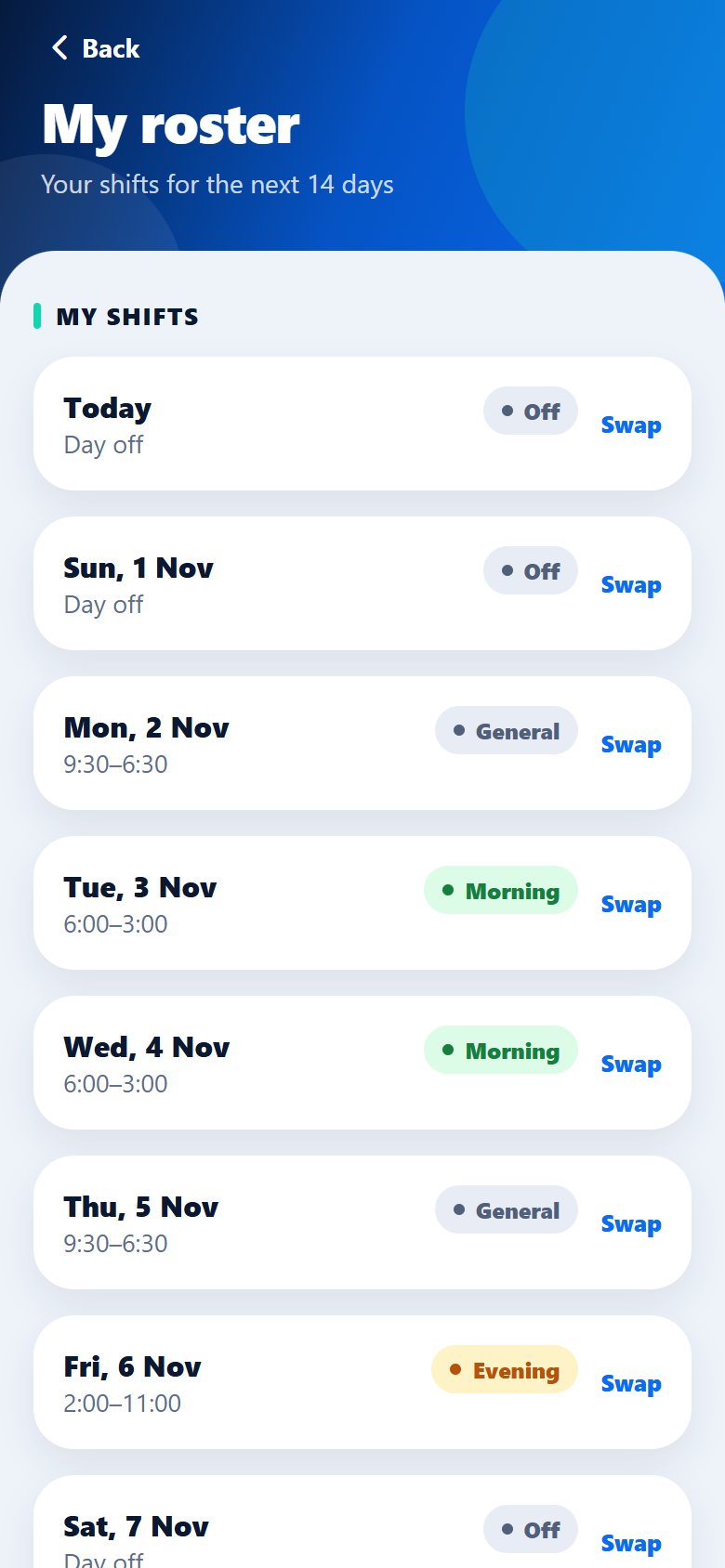
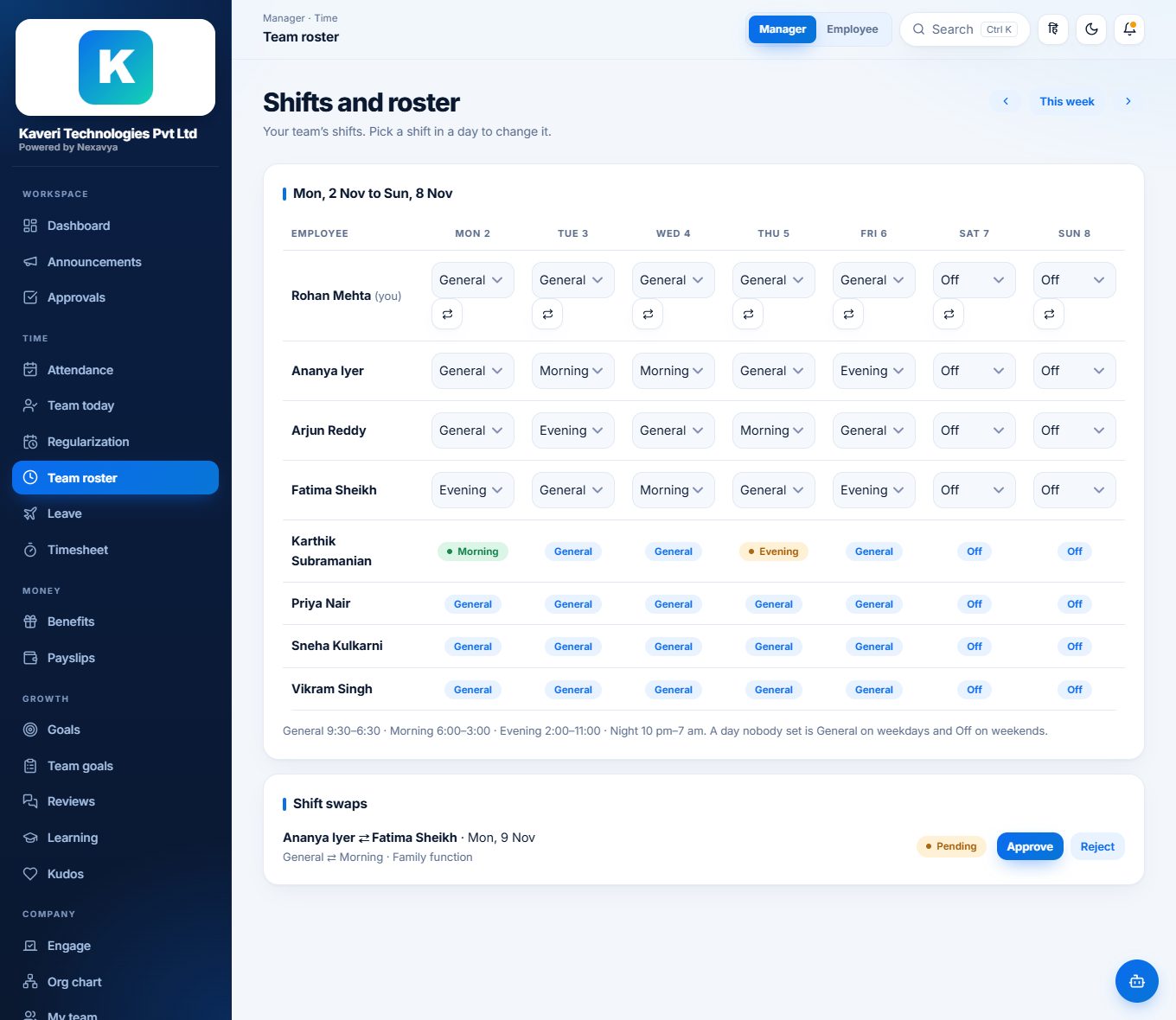
HR and managers set shifts on the web: General, Morning, Evening, Night or Off. Everyone sees their own days on the phone. To change a day, ask a colleague with a different shift; their manager decides, and an approved swap makes the two of you change places.
- A manager can set shifts for their own team only; past days cannot be changed
- The two people swapping cannot approve it themselves
- Managers approve a swap from the phone, and both people are told the answer
Post news and answer tickets without opening a laptop
- Post an announcement with a photo, and delete it if it needs to go
- Switch comments off for a post, and nobody can add one
- See every helpdesk ticket and mark it resolved
Alerts that matter Growth and Enterprise
With push notifications on, a request waiting for you, a decision on yours, a new announcement, a helpdesk answer or a shift swap reaches the phone as it happens. Each person can switch alerts off, or by kind, in their notification settings.
The app is in every plan
The everyday features are included from Starter. The team view, shift rosters and push notifications come with Growth and Enterprise.
| In the mobile app | Starter | Growth | Enterprise |
|---|---|---|---|
| Check in and out, with the place recordedWorks with no signal; sent later with the time it happened | |||
| Attendance calendar, leave, work from home and regularizationApply, follow the answer and fix a short day | |||
| Approvals for managers and HRDecide leave, work from home and other requests | |||
| Payslips as PDFThe last twelve months, saved to the phone or shared | |||
| Announcements with photos, reactions and commentsHR can post and switch comments off | |||
| Helpdesk, people directory and your profileRaise a ticket, find and call a colleague, change your photo | |||
| Team attendance viewWho is in, late, away or not in yet, for managers and HR | – | ||
| Shift rosters and swapsSee your shifts and ask a colleague to swap a day | – | ||
| Push notificationsAlerts for requests, decisions, announcements, helpdesk and swaps | – |
Want to see the app on a real phone?
Book a demo and we will show it working with your own situation: your attendance rules, your shifts, your payslip.